> For the complete documentation index, see [llms.txt](https://docs.relevant-digital.com/llms.txt). Markdown versions of documentation pages are available by appending `.md` to page URLs; this page is available as [Markdown](https://docs.relevant-digital.com/getting-started/relevant-ai.md).
# Relevant AI
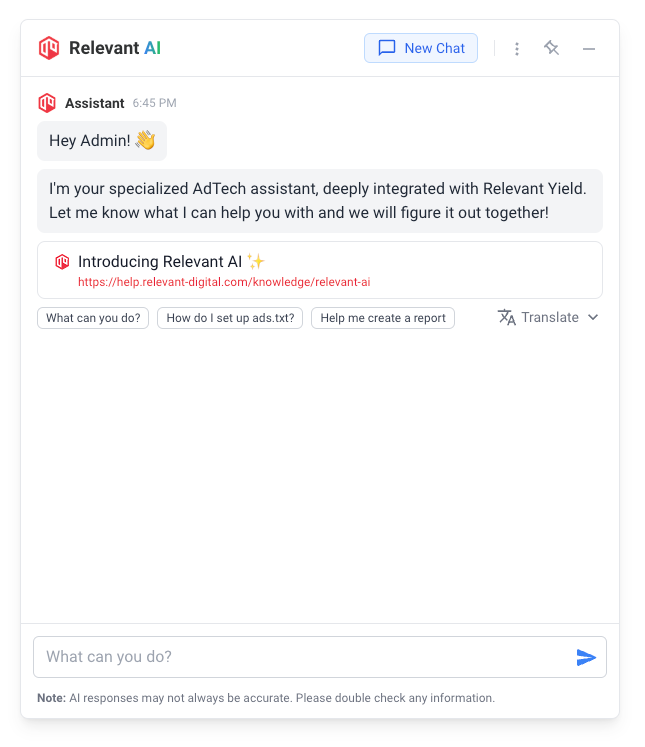
Relevant AI is your dedicated AdTech assistant, seamlessly integrated with the Relevant Yield platform to enhance your programmatic advertising workflow. It combines direct access to your own reporting data with deep knowledge of the platform, Prebid, and the wider AdTech landscape.
{% hint style="info" %}
Relevant AI is free of charge, but activating it requires acceptance of a disclaimer. See [How to Activate Relevant AI](https://docs.relevant-digital.com/getting-started/relevant-ai/how-to-activate-relevant-ai.md). The assistant is continuously updated and enhanced; if you notice any unusual behaviour or have feedback to share, please don't hesitate to [get in touch](https://docs.relevant-digital.com/support-and-troubleshooting/contact-us.md)!
{% endhint %}
## Getting to Know Relevant AI
Relevant AI is a built-in assistant within the Relevant Yield platform, designed to help with tasks related to programmatic advertising. It is directly connected to your data sources, so it can analyse your actual performance, not just answer general questions, and it always backs up its data answers with generated reports you can open and verify yourself.
You can use Relevant AI to support activities such as **analysing campaign performance**, **troubleshooting** header bidding configurations, or **identifying opportunities** to improve revenue.
Relevant AI has **read-only** access to your account: it can query your data and inspect your setup, but it can never change your configuration.
By default, Relevant AI is available to **Admin users**. If you would like to extend access to other users on your account, contact your Customer Success representative.
## Core Capabilities
### Data Analysis and Reporting
Relevant AI can query your data across all reporting modules (**Ad Revenue Insights**, **HB Analytics**, and **HB Historical**) and turn your questions into full reports with charts, tables, and analysis. It can group and filter by the same dimensions you use in regular reporting, compare periods, include forecasts (Ad Revenue Insights), and highlight outliers or trends.
Every time it queries your data, Relevant AI links to the generated report so you can open it, verify the underlying numbers, and continue working with it like any other report in Yield. If a question would return more data than Relevant AI can analyse in one go, it asks you to narrow it down, for example by shortening the date range or grouping by fewer dimensions.
### Platform and Prebid Support
If you run into technical issues or have questions about specific features, Relevant AI can offer immediate support. It draws from the complete Relevant Yield knowledge base as well as the official Prebid documentation, both kept up to date.
It is also aware of your own setup: it knows which **Prebid Server version** your account runs and which **Prebid.js builds** you have registered, including their versions and modules, so you can ask questions like "Is bidder X supported in our Prebid Server version?" and get an answer specific to your account.
### AdTech Research and Benchmarks
For questions that go beyond the platform, Relevant AI can search the web and read pages on your behalf. This is useful for topics such as sellers.json, ads.txt, IAB standards, or industry benchmarks like "viewability in Europe". It cites its sources with links so you can review them yourself.
### Performance Optimization
Relevant AI can analyse your setup and performance data to suggest practical improvements. It may help identify underperforming placements and detect unusual revenue patterns. It is also aware of calendar Events registered in your account (such as downtime or known discrepancies), so it can factor those into its analysis.
### Multilingual Support
Relevant AI supports multiple languages and can respond in your preferred language: simply write to it in the language you are most comfortable with. You can also translate any response using the **Translate** menu underneath it.
## Practical Applications
**Quick Insights**
Ask for immediate data highlights such as:
* "What was yesterday's revenue?"
* "Which devices are generating the most revenue?"
* "Show me the top 5 placements by revenue"
**Report Generation**
Generate customised reports to track performance over time:
* "Compare today's revenue with our weekly average"
* "Show me the revenue breakdown by SSP for the last quarter"
* "What's our average eCPM trend over the past month?"
**Technical Guidance**
Get step-by-step assistance with configuration tasks:
* "Guide me through setting up a new Prebid adapter"
* "Which Prebid Server version are we running?"
* "Help me configure floor prices"
* "How do I implement lazy loading?"
**Performance Analysis**
Investigate recent changes or issues in performance:
* "Why did we see a drop in revenue yesterday?"
* "Which placements should we optimize first?"
* "Why is our fill rate dropping?"
* "Check if we have any timeout issues in our header bidding setup"
**Optimization Opportunities**
Identify areas for improvement to maximise results:
* "Identify placements with declining performance"
* "Find SSPs with high timeout rates"
* "Show me opportunities to increase fill rate"
## Getting Started
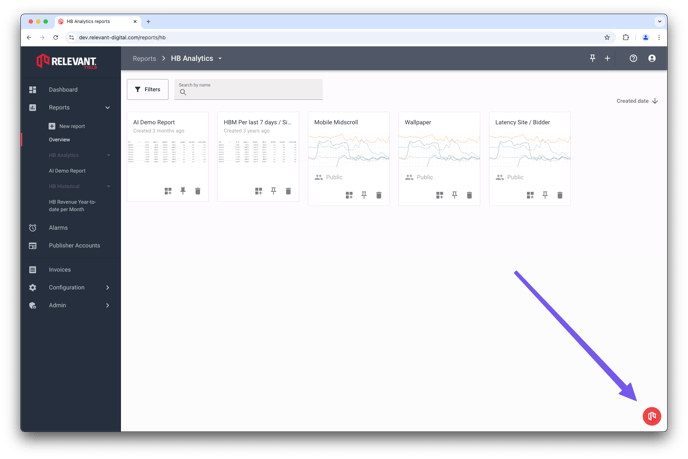
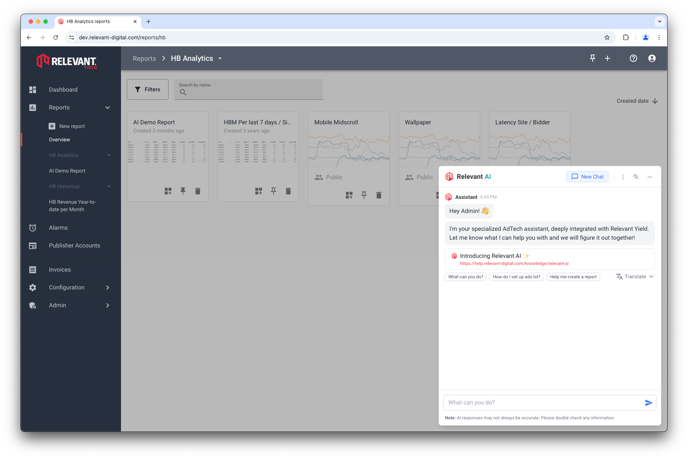
To open and start using Relevant AI, click the button located in the bottom-right corner of the Relevant Yield platform. It is accessible from any page within the platform.
Simply type your question and press **Send**. Relevant AI suggests follow-up questions under each answer to help you dig deeper.
To start a new topic, click **New Chat** at the top. A new chat does not carry over anything from the previous conversation.
Your previous conversations are listed under **Recent conversations** on the start screen, covering the last 30 days. You can reopen any of them to continue where you left off, or delete the ones you no longer need.
### Pinning
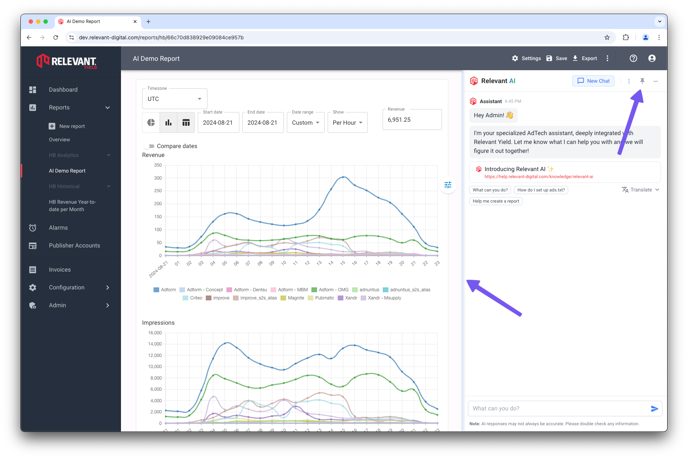
When viewing a report, you may find it useful to pin the AI window to the side of the screen. To do this, click the **Pin** button in the top-right corner of the AI window. Once pinned, you can freely resize the window by dragging its edge to suit your workspace.
## Your Briefing
Relevant AI prepares a daily or weekly briefing for you: a short summary of what changed in your data, what needs your attention and what has recovered. It opens automatically when a new one is ready, and you can ask follow-up questions right below it. See [Relevant AI Briefings](https://docs.relevant-digital.com/getting-started/relevant-ai/relevant-ai-briefings.md).
## AI Help Across the Platform
Beyond the chat, Relevant AI also powers the **?** help icons found throughout the platform, for example in report settings, bid parameters, and mapping views. Clicking one gives you an instant, AI-generated explanation of that specific function, in your preferred language, without having to phrase a question yourself.
You can rate each answer with a thumbs up or down. Your feedback helps us improve the documentation. If you need more detail, the **Ask Relevant AI** option hands the topic over to the full chat.
## Best Practices
1. **Double-check responses**, as they may not always be accurate. Use the generated report links and cited sources to verify
2. **Be specific with timeframes** when requesting data analysis
3. **Provide context** when asking technical questions
4. **Ask follow-up questions** to dive deeper into any topic
5. **Use the suggested queries** as inspiration for your own questions
6. **Narrow broad queries**: shorter date ranges and fewer groupings give faster, more focused analysis
## Related articles
* [How to Activate Relevant AI](https://docs.relevant-digital.com/getting-started/relevant-ai/how-to-activate-relevant-ai.md)
* [Sharing Reports in Yield](https://docs.relevant-digital.com/general-platform/reports-and-dashboards/sharing-reports-in-yield.md)
* [Publisher Users](https://docs.relevant-digital.com/general-platform/user-management/publisher-users.md)
* [Logging in to Relevant Yield](https://docs.relevant-digital.com/general-platform/user-management/logging-in-to-relevant-yield.md)
* [Adding a New Publisher Account](https://docs.relevant-digital.com/general-platform/inventory-management/adding-a-new-publisher-account.md)
## Breadcrumbs
1. [Help Center](broken://spaces/thyujPhgXh1WtJZy8bjr/pages/9a8d83aa36eaf141957b99237b8124839d337e0e)
2. [Relevant Yield - General Features](https://docs.relevant-digital.com/general-platform/relevant-yield-general-features.md)
3. [Relevant AI](broken://spaces/thyujPhgXh1WtJZy8bjr/pages/F48NIqgElrDr4aPMK7QH)
---
# Agent Instructions
This documentation is published with GitBook. GitBook is the documentation platform designed so that both humans and AI agents can read, navigate, and reason over technical content effectively. Learn more at gitbook.com.
## Querying This Documentation
If you need additional information that is not directly available in this page, you can query the documentation by asking a question.
Perform an HTTP GET request on the following URL with the `ask` and `goal` query parameters:
```
GET https://docs.relevant-digital.com/getting-started/relevant-ai.md?ask=&goal=
```
`ask` is the immediate question: it should be specific, self-contained, and written in natural language.
`goal` is what the user is ultimately trying to achieve, the reason they need the answer. Sharing it helps GitBook give you a better, more relevant answer. A goal is most helpful when it describes the outcome the user wants rather than restating the question. For example, with `ask=how do I create an API token`, a goal like `automate deployments from our CI pipeline` lets GitBook tailor the answer to that use case.
The response will contain a direct answer to the question and relevant excerpts and sources from the documentation.
Use this mechanism when the answer is not explicitly present in the current page, you need clarification or additional context, or you want to retrieve related documentation sections.