> For the complete documentation index, see [llms.txt](https://docs.relevant-digital.com/llms.txt). Markdown versions of documentation pages are available by appending `.md` to page URLs; this page is available as [Markdown](https://docs.relevant-digital.com/hb-manager/auction-behavior-and-optimization/bidder-specific-demand-path-optimisation-dpo-setup.md).
# Bidder specific Demand Path Optimisation (DPO) setup
Configure bidder-specific DPO rules using performance metrics and geographic targeting.
## Configure bidder-specific Demand Path Optimisation
Some bidders and SSPs support publisher-managed DPO. Others prefer to receive all traffic and optimise demand themselves.
Confirm each bidder's preferred approach before enabling DPO.
{% hint style="info" %}
This feature is available for web inventory only.
{% endhint %}
### Configure DPO at different levels
Limit traffic to one or more bidders at the following levels:
* **Global**
* **Publisher**
* **Website**
* **Placement**
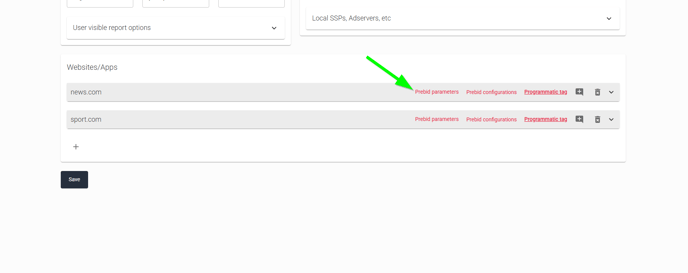
Configure DPO through **Prebid Parameters** at the required level:
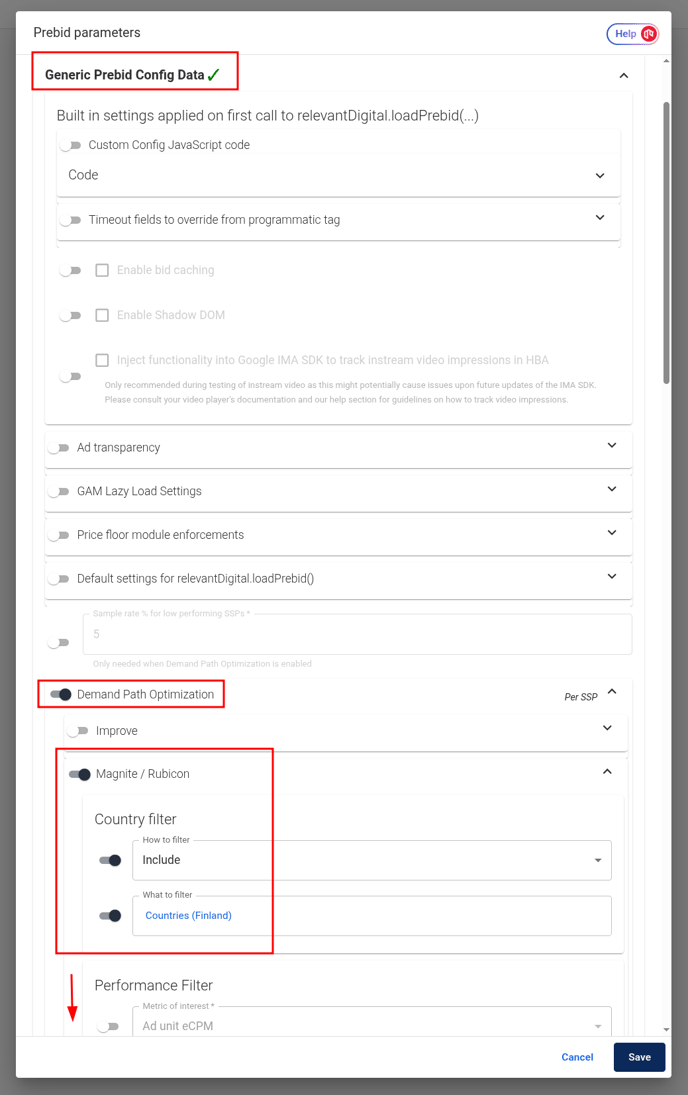
Go to **Generic Prebid Config Data → Demand Path Optimisation → Enable**. Set the criteria that determine when a bidder or SSP receives a call.
#### Performance Filter
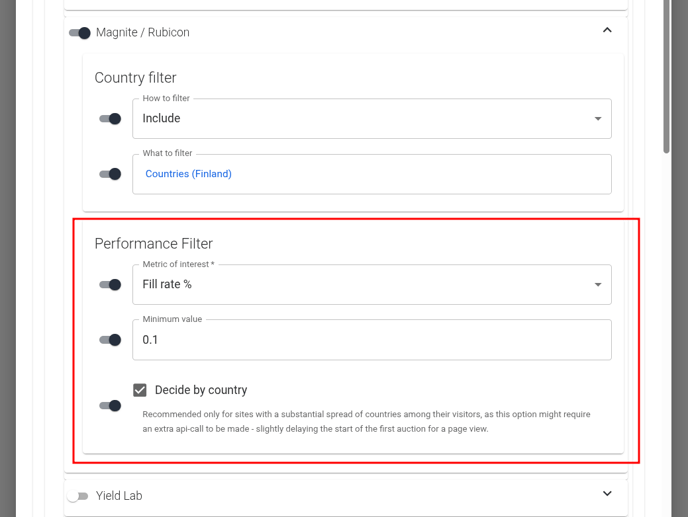
Apply performance filters using fill rate and ad-unit eCPM. You can assess performance by country.
A common approach excludes countries with weak performance. Include only selected countries for regional bidders.
The available performance filters are:
* **Ad Unit eCPM** — Revenue per thousand ad-unit impressions.
* **Fill rate %** — Percentage of ad requests that receive an ad.
* **Bid rate %** — Percentage of bid requests that receive a bid.
* **Win rate %** — Percentage of submitted bids that win the auction.
* **Timed out bids %** — Percentage of bid requests without a response before the timeout.
* **Avg. response ms** — Average bidder response time, in milliseconds.
### Include or exclude traffic by country
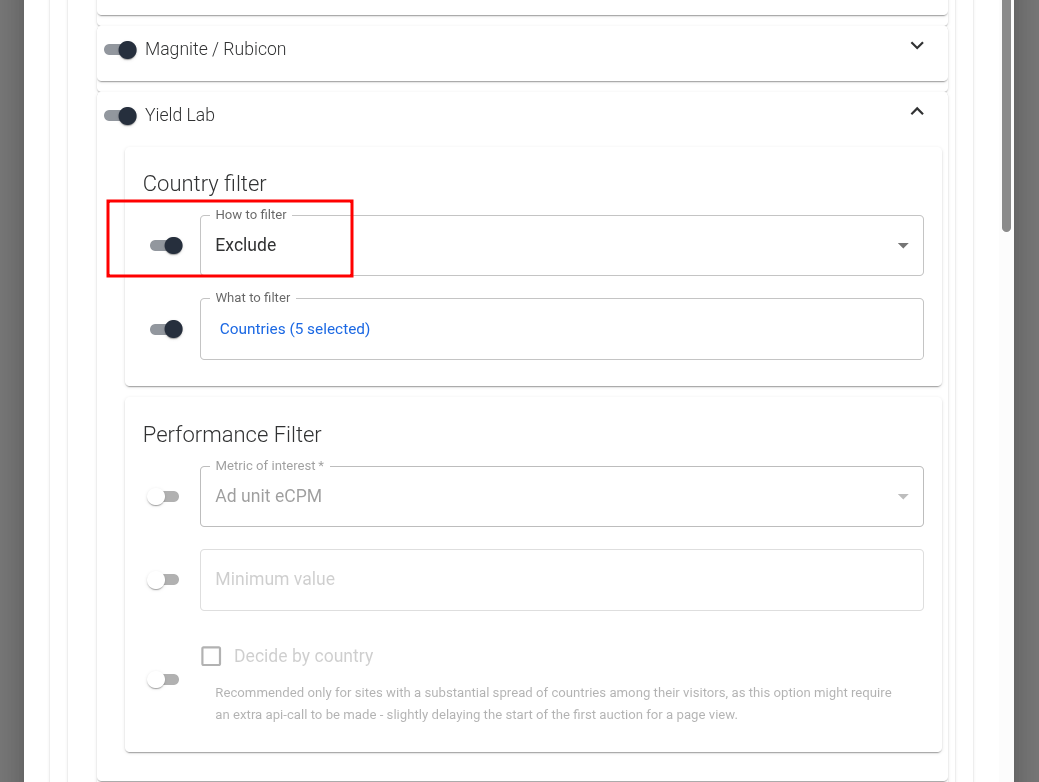
Use geographic targeting to include or exclude traffic from specific countries:
### Choose countries for each bidder
Start with a report grouped by bidder and country. Then select the metric that matters most.
Use **Revenue** to prioritise bidders that deliver the most value in each country. Use **Ad Unit eCPM** to assess monetisation quality. Use **Fill rate %** where lower-value bids may still provide useful coverage.
This breakdown shows where each bidder performs well. Use it to decide which countries to include or exclude.
{% hint style="warning" %}
Excluding traffic may reduce revenue because fewer bidders receive calls. Fewer calls may also reduce environmental impact.
{% endhint %}
---
# Agent Instructions
This documentation is published with GitBook. GitBook is the documentation platform designed so that both humans and AI agents can read, navigate, and reason over technical content effectively. Learn more at gitbook.com.
## Querying This Documentation
If you need additional information that is not directly available in this page, you can query the documentation dynamically by asking a question.
Perform an HTTP GET request on the current page URL with the `ask` query parameter, and the optional `goal` query parameter:
```
GET https://docs.relevant-digital.com/hb-manager/auction-behavior-and-optimization/bidder-specific-demand-path-optimisation-dpo-setup.md?ask=&goal=
```
`ask` is the immediate question: it should be specific, self-contained, and written in natural language.
`goal` is optional and describes the broader end goal you are ultimately trying to accomplish on behalf of the user. GitBook uses it to tailor the answer towards what is most useful for that goal.
The response will contain a direct answer to the question and relevant excerpts and sources from the documentation.
Use this mechanism when the answer is not explicitly present in the current page, you need clarification or additional context, or you want to retrieve related documentation sections.