> For the complete documentation index, see [llms.txt](https://docs.relevant-digital.com/llms.txt). Markdown versions of documentation pages are available by appending `.md` to page URLs; this page is available as [Markdown](https://docs.relevant-digital.com/technical/integration/advanced-implementation-patterns/implementation-and-testing-guidelines-for-direct-rendering.md).
# Implementation and testing guidelines for direct rendering
When using "Direct rendering and bid exclusion settings for Prebid.js", live preview testing is recommended before enabling - as site JavaScript adjustments might be needed.
Enabling the **Direct rendering and bid exclusion settings for Prebid.js** settings will work out of the box for some sites. But if logic on the site depends on the adserver JavaScripts's reporting of whether an ad is shown - it might be necessary to do adjustments in the site code.
A typical example is code which hides placements based upon events from *Google Ad Manager*'s JavaScript API (*gpt.js*). The problematic example below might unintentionally hide placements with bids that are rendered without adserver involvement:
```
window.googletag = window.googletag || {};
googletag.cmd = googletag.cmd || [];
googletag.cmd.push(() => {
googletag.pubads().addEventListener('slotRenderEnded', (ev) => {
if (ev.isEmpty) { // No ad, hide placement...
const adDiv = document.getElementById(
ev.slot.getSlotElementId());
adDiv.style.display = 'none';
}
});
});
```
**Testing**
We recommend using the live preview functionality on the publisher account page in order to create preview links that can used both to identify issues - and, if needed, by developers.\
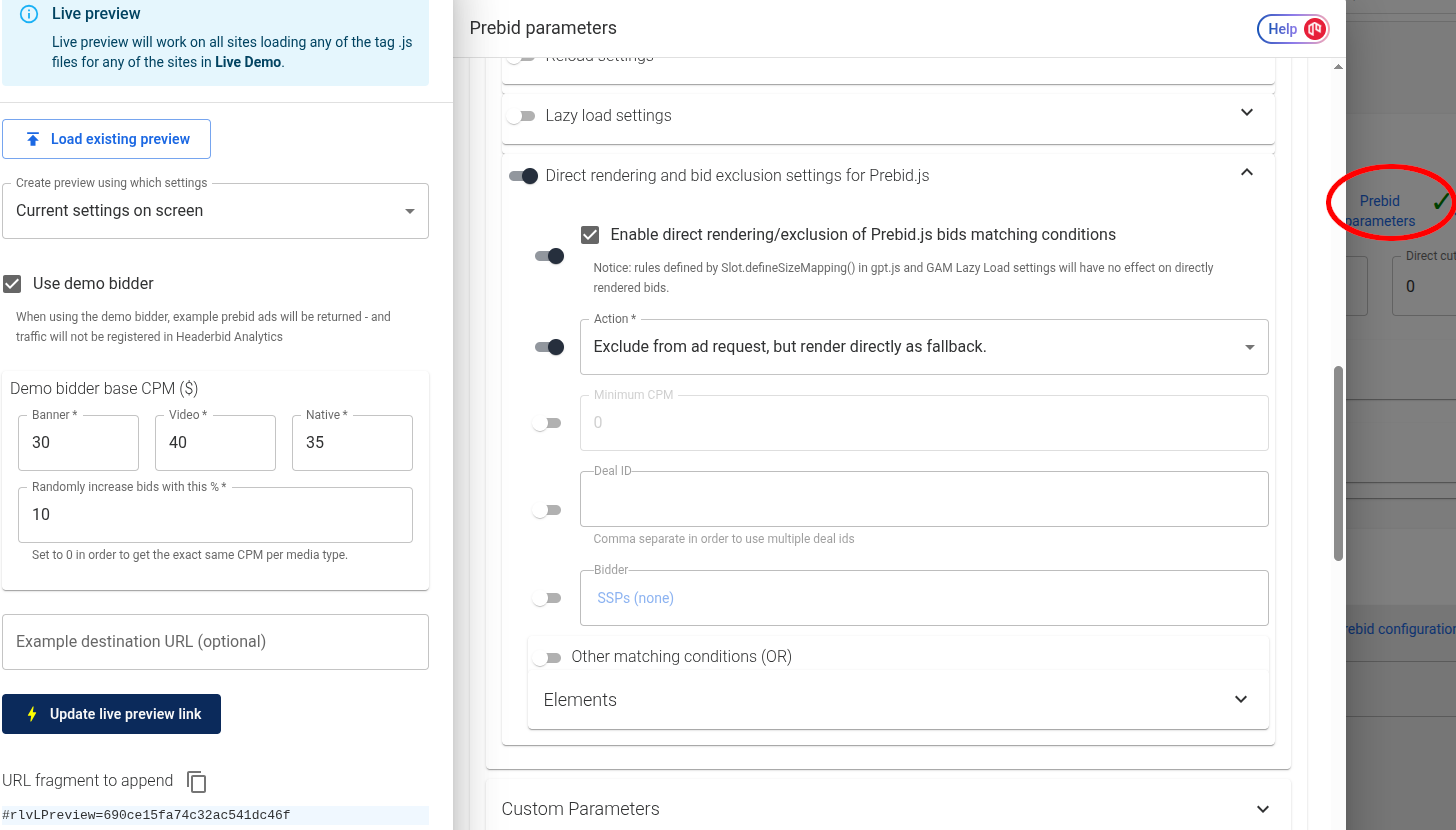 \
The easiest way is usually to enable direct rendering on *all* placements, *without* any constraints (such as **Minimum CPM** and **Deal ID**) - by enabling it under the main **Prebid parameters** for the publisher account. The **Direct rendering and bid exclusion settings for Prebid.js** settings are available in the **Generic Placement Data** section in **Prebid Parameters**.\
\
There is no need to save anything when the default **Current settings on screen** option is selected in the live preview settings.\
\
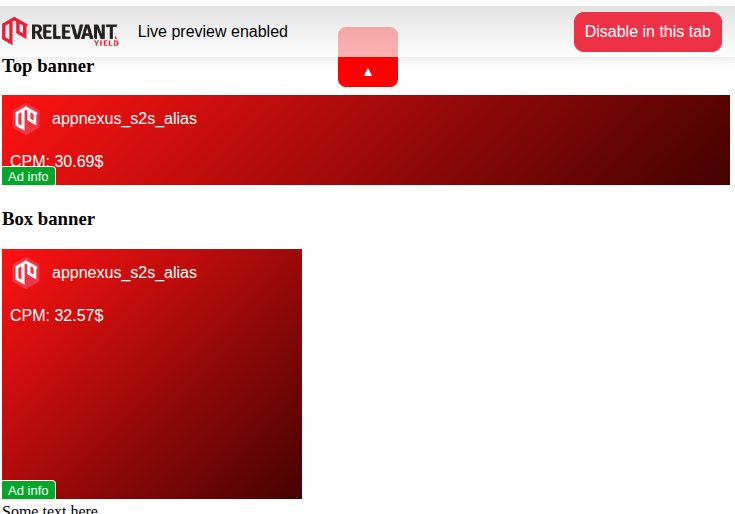
By keeping the **Use demo bidder** checkbox enabled, demo bids will be triggered on all placements after following the link.
\
The easiest way is usually to enable direct rendering on *all* placements, *without* any constraints (such as **Minimum CPM** and **Deal ID**) - by enabling it under the main **Prebid parameters** for the publisher account. The **Direct rendering and bid exclusion settings for Prebid.js** settings are available in the **Generic Placement Data** section in **Prebid Parameters**.\
\
There is no need to save anything when the default **Current settings on screen** option is selected in the live preview settings.\
\
By keeping the **Use demo bidder** checkbox enabled, demo bids will be triggered on all placements after following the link.
 **Resolution of potential problems**
Common problems includes ads which disappears - or styling issues, such as "this-is-an-ad" texts that doesn't show up.
This can be solved by replacing the usage of adserver-specific JavaScript functions for setting up listeners (such as in the problematic example above), with call(s) to [relevantDigital.addAdsCallbacks()](https://help.relevant-digital.com/knowledge/relevantdigital.addadscallbacks) - in order to set up the same listeners. This usually only requires small modifications.
**Ad iframes**
The adserver specific `
**Resolution of potential problems**
Common problems includes ads which disappears - or styling issues, such as "this-is-an-ad" texts that doesn't show up.
This can be solved by replacing the usage of adserver-specific JavaScript functions for setting up listeners (such as in the problematic example above), with call(s) to [relevantDigital.addAdsCallbacks()](https://help.relevant-digital.com/knowledge/relevantdigital.addadscallbacks) - in order to set up the same listeners. This usually only requires small modifications.
**Ad iframes**
The adserver specific `